
Overview #
The Hornet FA-18C has three MFDs: the Advanced Multipurpose Color Display (AMPCD) at the lower center of the main instrument panel, and two Digital Display Indicators (DDI) on either side. The Wefly FA-18C AMPCD has one USB Type-C port for connecting to the computer and two 5-pin terminal ports for connecting the left and right DDIs; the AMPCD is normally mounted in the center. The DDI has no USB Type-C port, only one 5-pin terminal port for connecting to the AMPCD via a 5-pin cable; the DDIs are normally mounted on both sides of the AMPCD. Both the AMPCD and the DDIs have power sockets and HDMI ports.
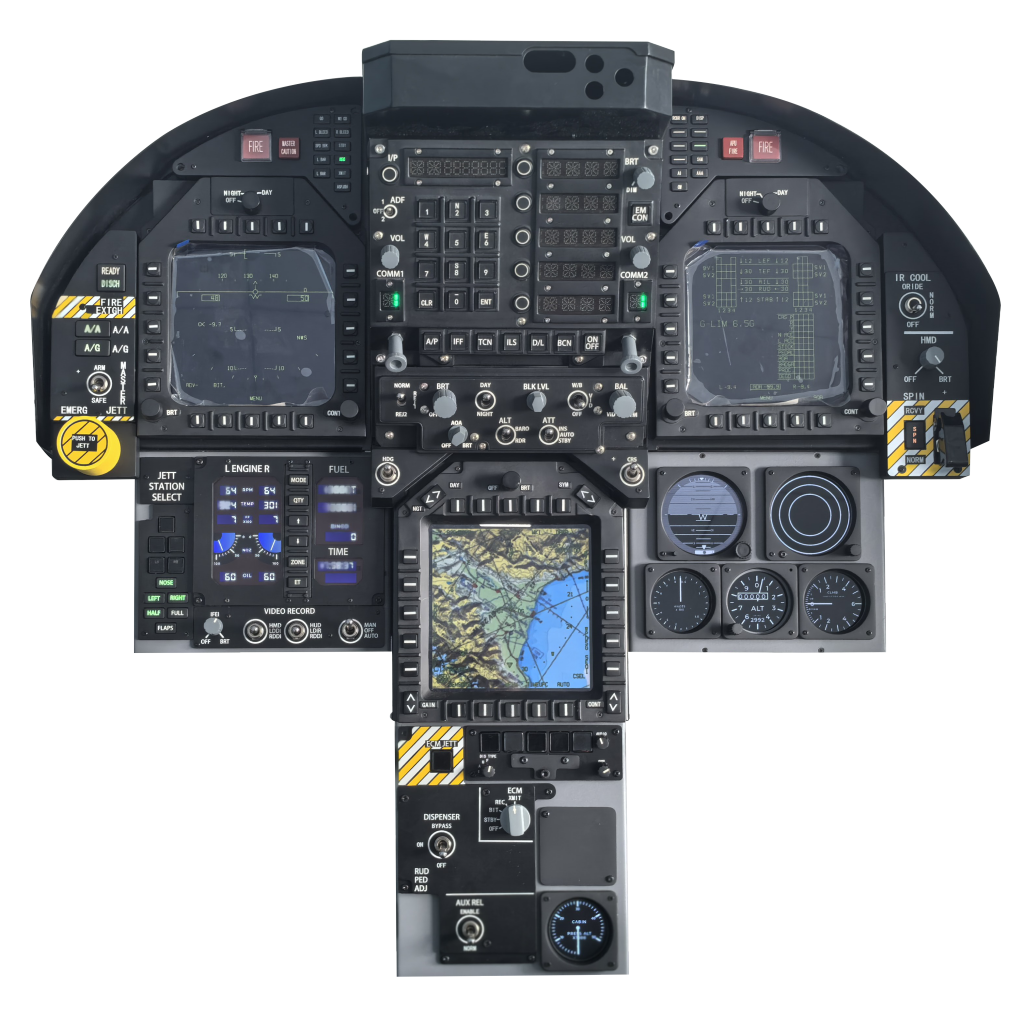
Dimensions & Mounting #
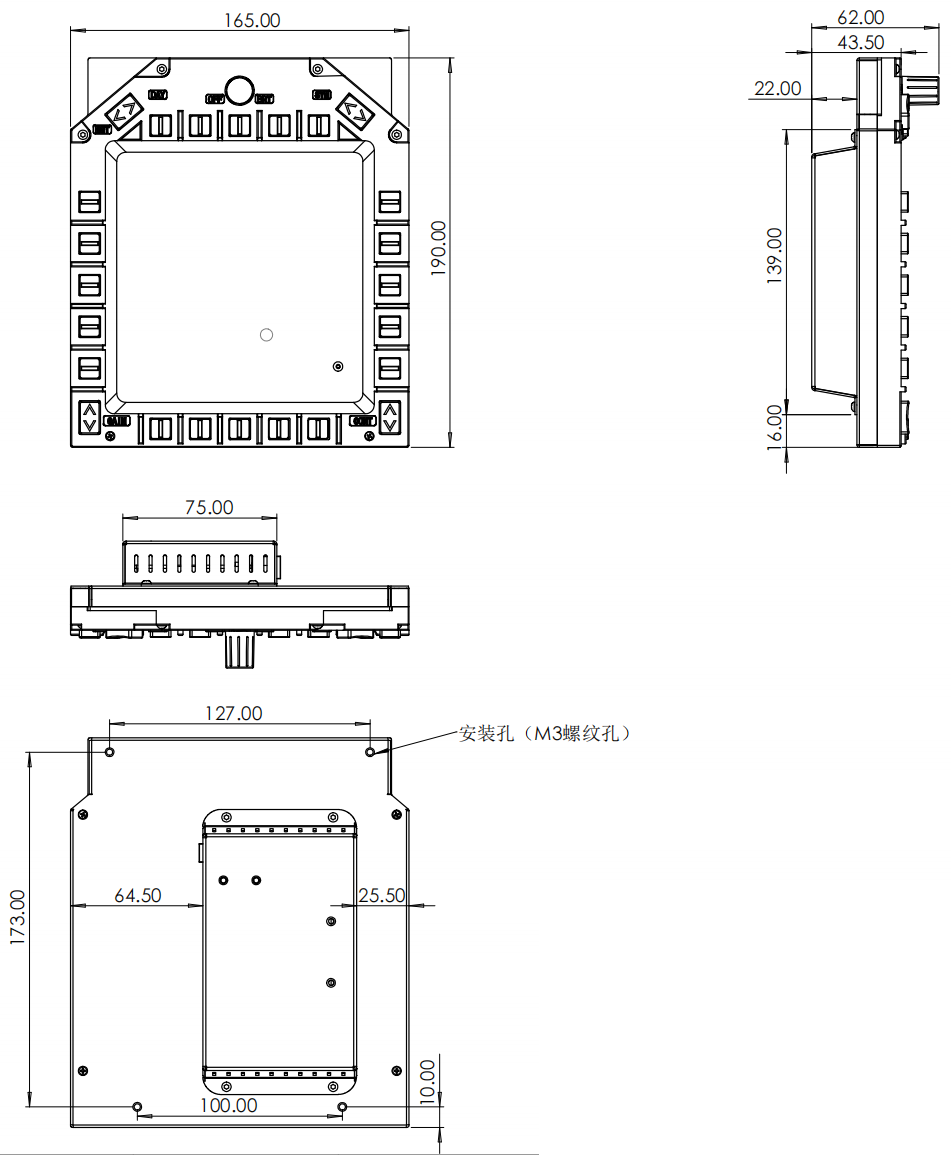
AMPCD #
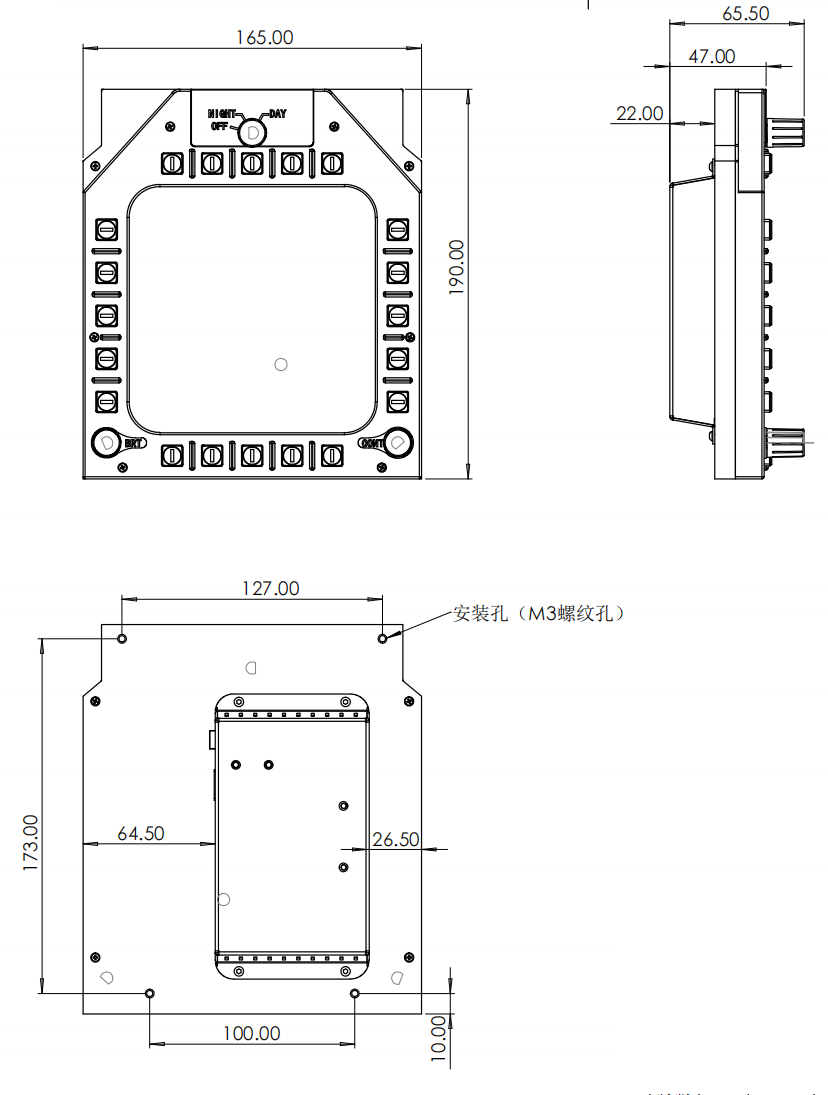
DDI #
Electrical Connection #
- The AMPCD and DDIs need power cables and HDMI cables. Using the video outputs on the graphics card is recommended. If the graphics card has no spare video output, use the included USB 3.0 to HDMI adapter (driver download). Compatibility issues between the USB 3.0 to HDMI adapter and graphics drivers are not covered by technical support.
- Connect the AMPCD’s USB Type-C data cable to a USB port on the computer.
- Use 5-pin cables to connect the left and right DDIs to the AMPCD; the two ports are interchangeable.
Display Setup #
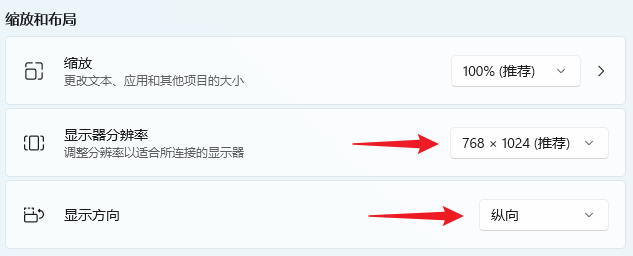
Take the following layout as an example: display 1 is the main monitor at 3840×2160.
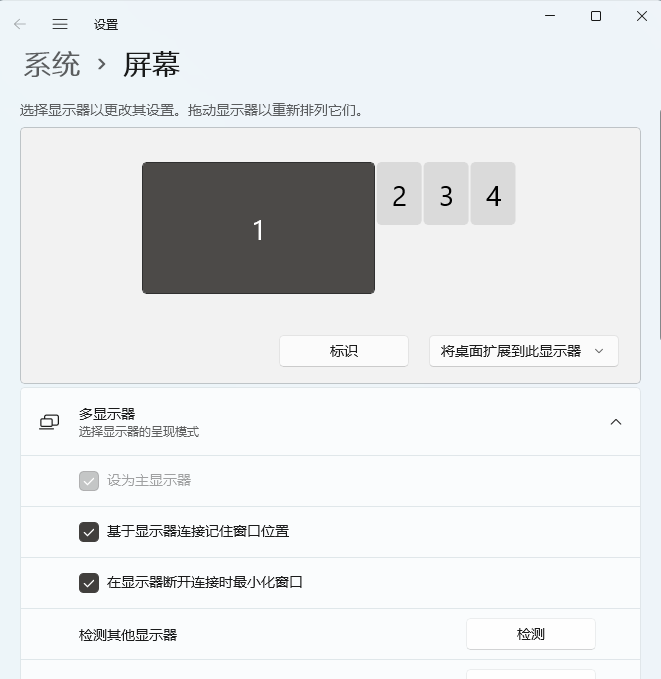
Displays 2, 3 and 4 are the MFCD displays at 768×1024, with the orientation set to portrait.
Screen Coordinate System #
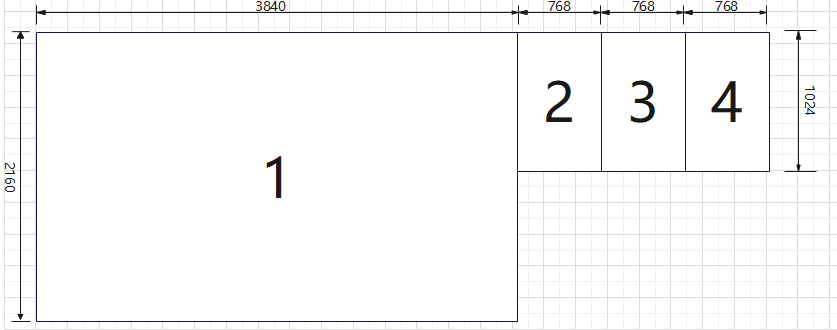
The origin (0,0) of the screen coordinate system is at the top-left corner. X increases to the right and Y increases downward.
- Display 1: origin X=0, Y=0, width=3840, height=2160
- Display 2: origin X=3840, Y=0, width=768, height=1024
- Display 3: origin X=3840 + 768, Y=0, width=768, height=1024
- Display 4: origin X=3840 + 768 + 768, Y=0, width=768, height=1024
Overall display area
The overall display area is the region used by DCS for rendering. Its calculation: width = 3840 + 768 × 3 = 6144, height = 2160.
Monitor Setup File #
The configuration file is located at: C:\Users\[UserName]\Saved Games\DCS\Config\MonitorSetup. Create a new file named 3840_TripleMCFD.lua, copy and paste the following code, then save. If the MonitorSetup folder does not exist, create it.
_  = function(p) return p end
 name = _('3840_TripleMFCD')
 description = '3840_TripleMFCD'

 LEFT_MFCD = { x = 3840, y = 200, width = 768, height = 768 }
 CENTER_MFCD = { x = 3840 + 768, y = 200, width = 768, height = 768 }
 RIGHT_MFCD = { x = 3840 +768 + 768, y = 200, width = 768, height = 768 }

 Viewports = {
  Center = {
   x = 0,
   y = 0,
   width = 3840,
   height = 2160,
   aspect = 3840/2160,
   dx = 0,
   dy = 0
  }
 }
 UIMainView = Viewports.Center
 GU_MAIN_VIEWPORT = Viewports.Center
Resolution & Monitor Settings in DCS #
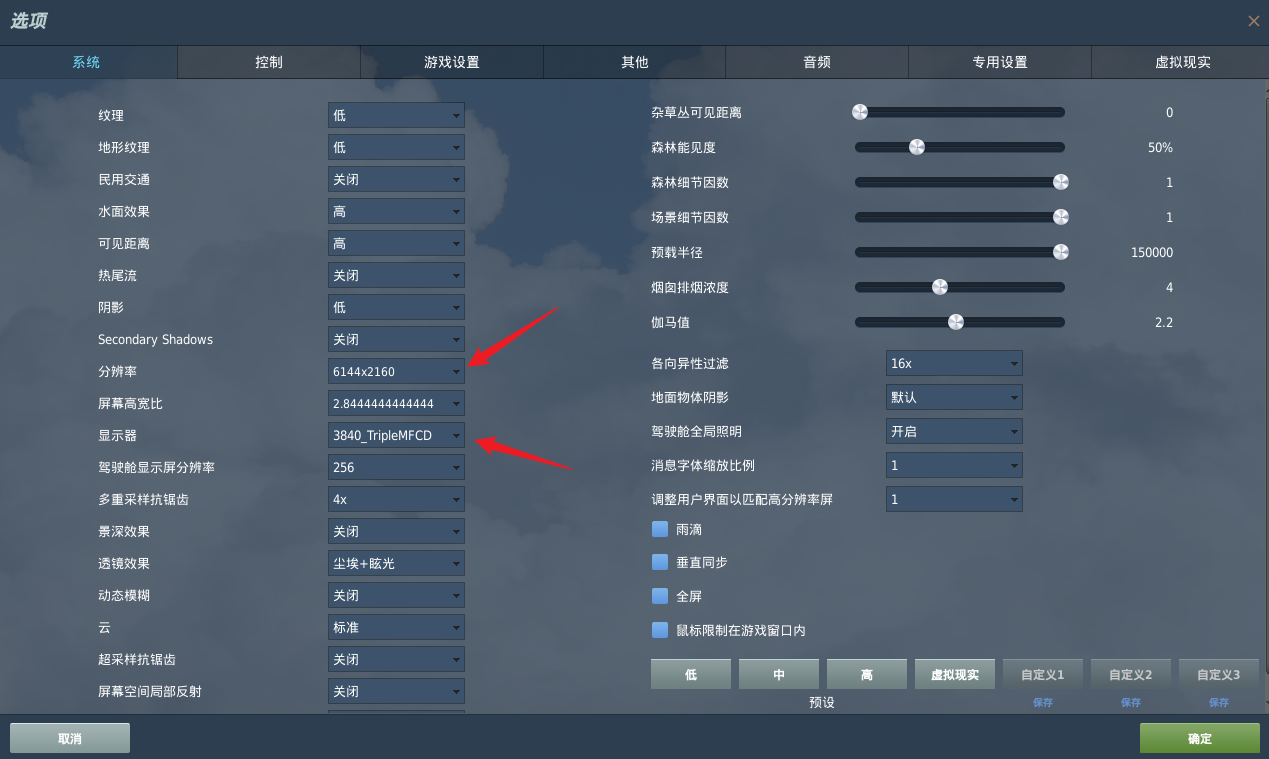
Open DCS and go to Settings. Using the layout above as an example, set the resolution to 6144×2160 and choose the configuration file created in the previous step.
Button Mapping in DCS #
Import the key bindings file directly: Wefly FA-18C MFD key bindings


