
Compatible Model List #
MSFS2020:
- FlyByWire A320neo
- FenixSim A320(include A319 & A321 Expansion)
- FSLabs A321ceo MSFS2024:
- FlyByWire A320neo
- FenixSim A320(include A319 & A321 Expansion) X-Plane:
- Toliss A319
- Toliss A320
- Toliss A321
- Toliss A330
- Toliss A340
- FlightFactor A320 Prepar3D:
- FsLabs A320 (Todo)
Install WeSim #
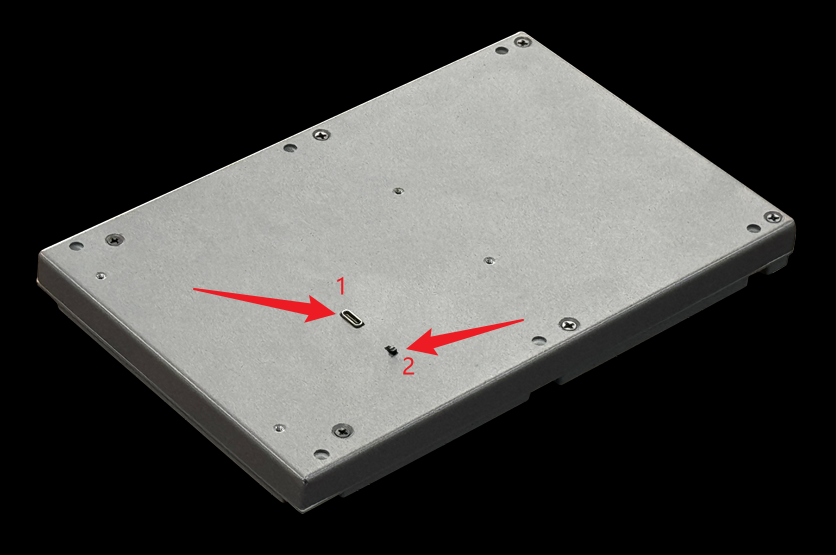
Connect the cable #
As shown in the figure: (1) USB Type-C interface, (2) CPT/FO switch Wefly A320 MCDU features a USB Type-C port for connecting to a computer to transmit keystroke signals and flight data. The CPT/FO switch requires a USB re-plug after switching to take effect.
Simulation Software Setup #
MSFS2020/MSFS2024 #
compatible model:
- FlyByWire A320neo(FBW SimBridge and, MobiFlight WASM, required)
- FenixSim A320(V2 Block2 or later required, include A319 & A321 Expansion,, MobiFlight WASM, required)
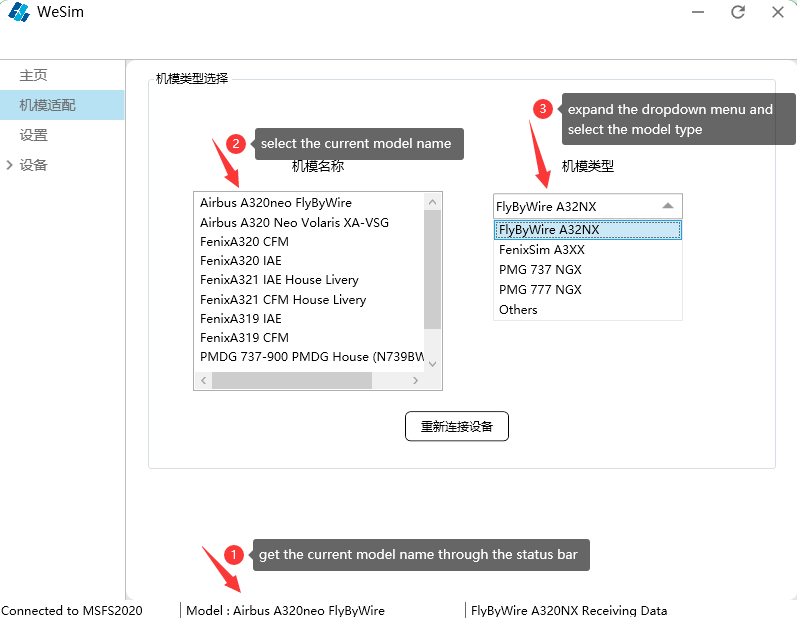
- FSLabs A321ceo(Switch to Experimental branch in FSL Control Center, and update aircraft models), model match:
X-Plane #
compatible model:
- Toliss A319
- Toliss A320
- Toliss A321
- Toliss A330
- Toliss A340
WeflyXP Plugin install,choose one of two ways
Automate installation #
Run WeSim.exe,click “install plugin”
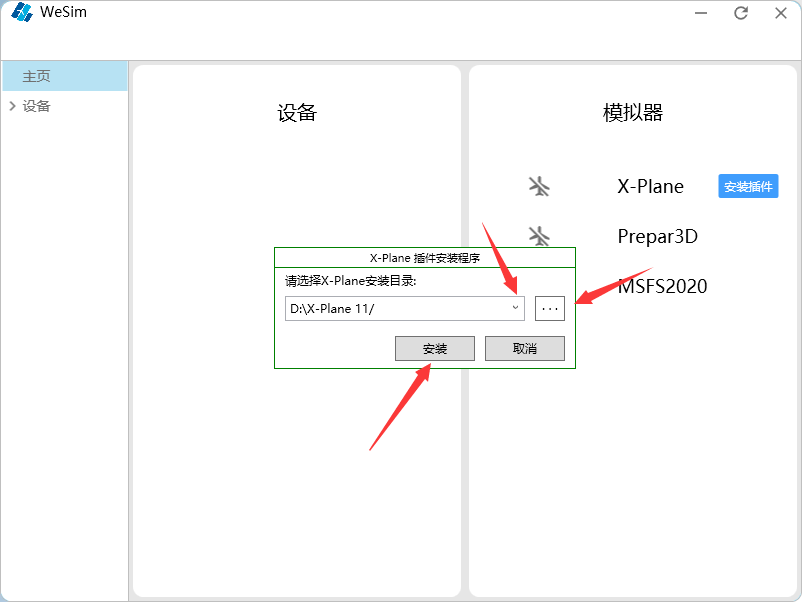
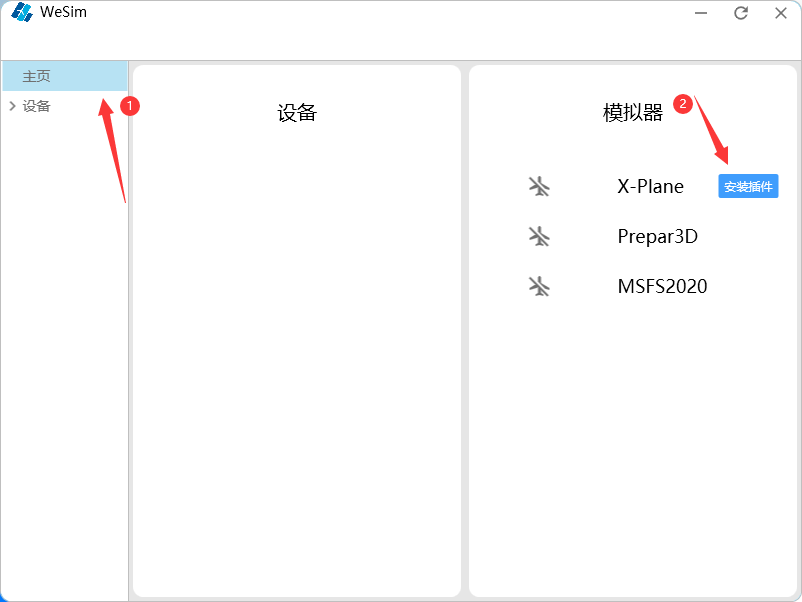 Select the destination folder and click Install
Manual installation #
In the WeSim installation directory
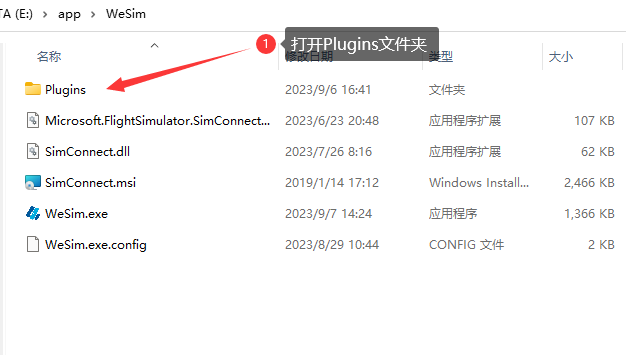 Copy the WeflyXP folder
 Paste it into the Resources/plugins folder in the X-Plane installation directory
Prepar3D #
compatible model:
- FsLabs A320 (Todo)
Log setting #
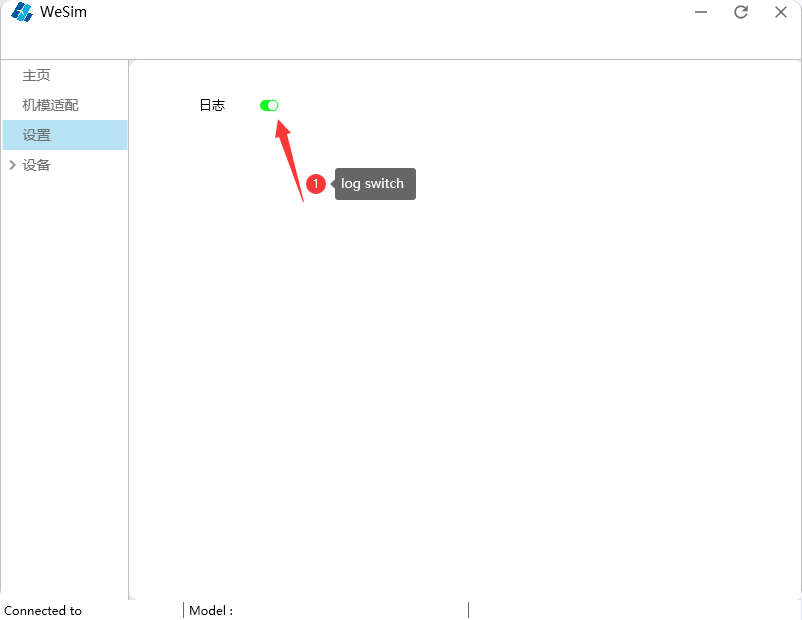
Firmware upgrade #
Firmware file download #
Firmware file:a320mcdu.bin( Click to download )
Upgrade method #
Unplug the USB cable of A320 MCDU, hold down the F key of MCDU, plug in the USB cable, then release the F key, MCDU will enter the firmware upgrade mode, a portable hard driver will appear in the computer, copy the firmware file a320mcdu.bin to this disk, then press the F key of MCDU, the device will automatically upgrade the firmware.


